Black Friday Newsletter Templates and Subject Lines
Type your shop name, offer, code and dates once and the email builder on this page writes them into 10 Black Friday newsletter templates, from teaser to back in stock, each with a subject line, a 1200 × 500 px header image and a 600 px HTML file for Klaviyo or Mailchimp.
Tone
Uses your facts above word for word; you can edit everything after.
Edit the header words and every field
Product picture
Still to fill: [shop name] · [first name] · [product or collection] · [date] · [specific product benefit or use] · [date and time, including time zone] …
Subject line + preview text
A first look at [shop name]’s Black Friday picks Meet the pieces we’ll feature this year.
Whole email as plain text
Subject: A first look at [shop name]’s Black Friday picks Preview: Meet the pieces we’ll feature this year. A first look at our Black Friday picks Hi [first name], We’ve been getting [product or collection] ready for the holiday season, and we’ll be sharing our Black Friday offer on [date]. If you have been waiting for [specific product benefit or use], this is a good time to take a look at the colors, materials and details that make it useful. The offer starts [date and time, including time zone]. We’ll send the full details when it opens, including the items that are included and when the offer ends. Thank you for being here, [shop name] [Browse the collection] https:// [shop name] · [postal address] · You are receiving this because you signed up at [site]. Unsubscribe: [link]
Subject line
A first look at [shop name]’s Black Friday picks
Preview text
Meet the pieces we’ll feature this year.
Email heading
A first look at our Black Friday picks
Button label
Browse the collection
Where to paste it
2 more Black Friday email templates
Pick a filter to search all 10 by campaign stage, use and colour. Pick one to load it into the editor above; every email is drawn from the Black Friday backgrounds and clipart on this site, so there is nothing to generate or pay for.
The 8 templates at the top of the page are not repeated here.
- Free-shipping weekend email
- Back in stock email
When to send each Black Friday email in 2026
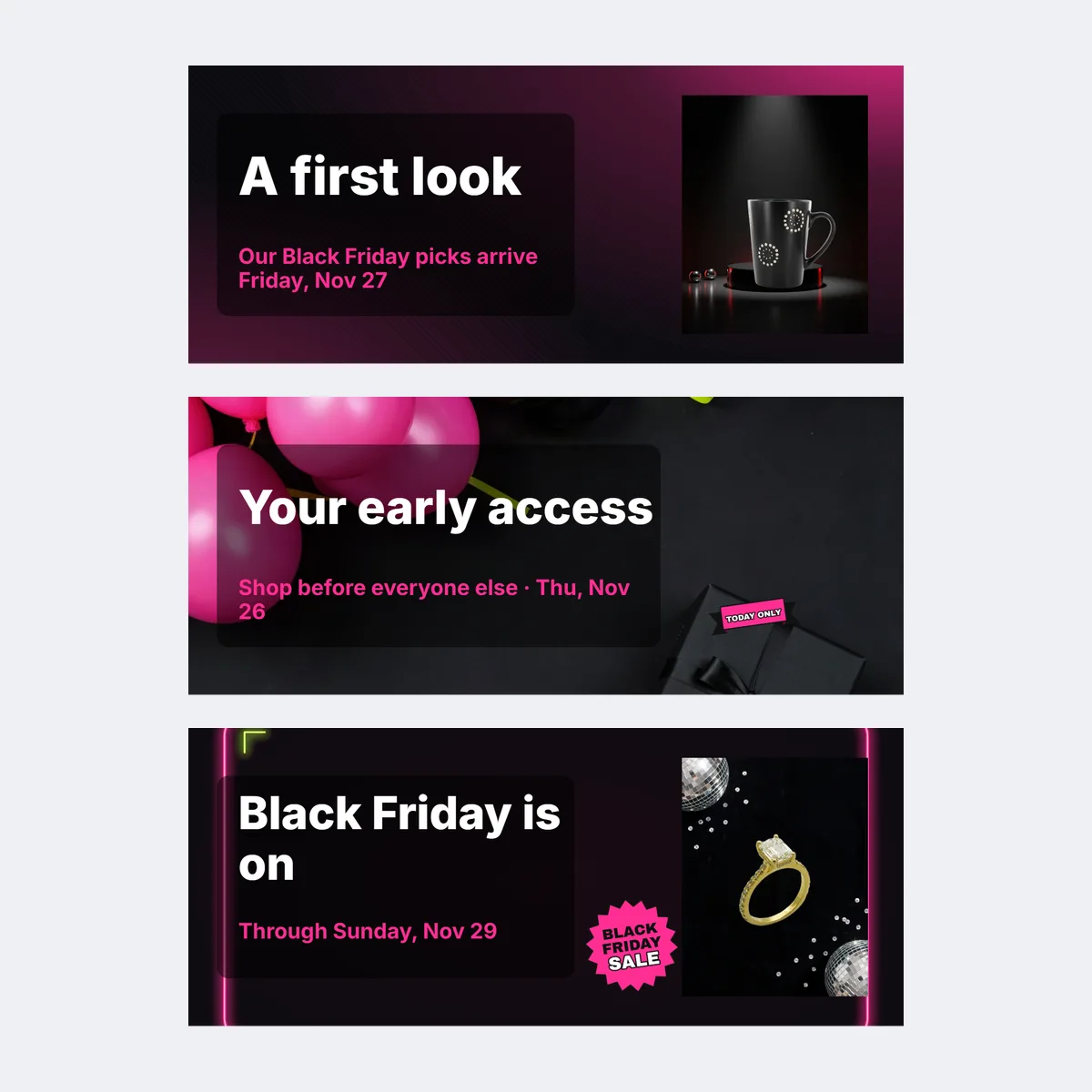
In 2026, Black Friday is Friday, November 27, Small Business Saturday is November 28, Cyber Monday is November 30 and Giving Tuesday is December 1. Shopify's guidance is to start warming subscribers up two to three weeks ahead and to give VIP customers access two to five days early; treat the windows as a plan to adjust, not a rule.
| Template | Send | Who gets it |
|---|---|---|
| Teaser | November 9 to 20 | Whole list |
| Early access | November 22 to 25 | Only the segment that really gets early access |
| Black Friday launch | Friday, November 27 | Whole list |
| Small Business Saturday | Saturday, November 28 | Whole list, if a Saturday offer or story is real |
| Free-shipping weekend | Saturday or Sunday | Whole list, if shipping is really free |
| Cyber Monday follow-up | Monday, November 30 | Whole list, if the offer runs through Monday |
| Final close | Before the real deadline | Whole list |
| Post-sale thank-you | After the offer ends | Recent buyers |
| Back in stock | When a sold-out item returns | Subscribers who asked or bought |
| Holiday gift guide | Early December | Whole list |
Use only the messages your list and campaign need, and combine two stages when they would repeat the same offer.
Black Friday newsletter subject lines
Write the subject after the offer and deadline are settled. A useful subject names the product, a real benefit or the sale moment, and the preview text adds something instead of repeating it. Each template loads with one of these pairs; the Subject line and Preview text fields copy without an account.
| Template | Subject line | Preview text |
|---|---|---|
| Teaser | A first look at [shop name]'s Black Friday picks | Meet the pieces we'll feature this year. |
| Early access | Your early access to [offer or collection] | Shop from [start time and time zone] through [end time]. |
| Launch | Black Friday is on: [offer in plain words] | [Eligible items] are included until [deadline]. |
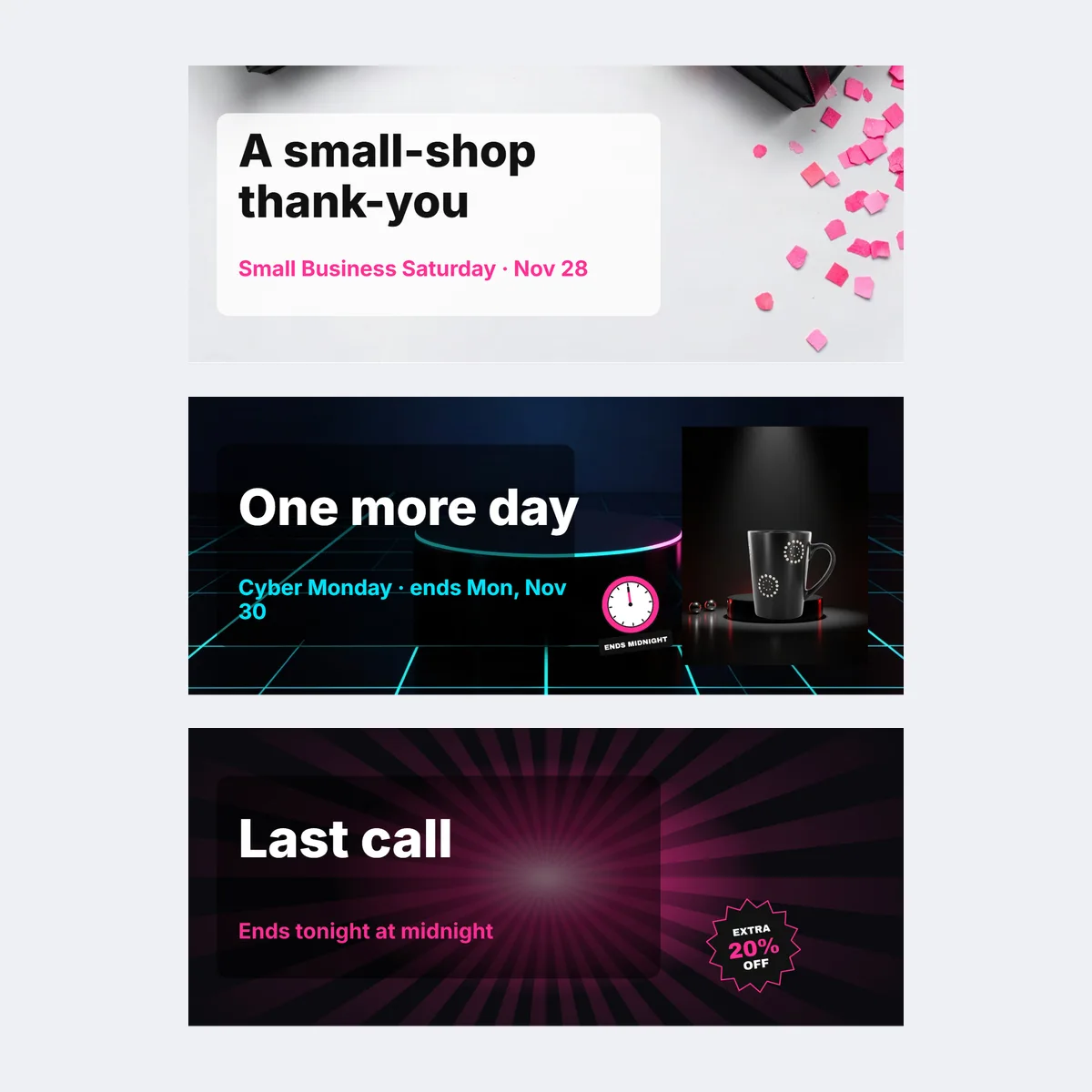
| Small Business Saturday | A small-shop thank-you for Saturday | See the people and details behind [featured product]. |
| Cyber Monday | One more day for [confirmed offer] | The offer ends at [exact end time]. |
| Final close | Last call: [offer] ends [date] | Check the terms before [deadline and time zone]. |
Mailchimp suggests subject lines of no more than nine words and 60 characters with at most one emoji; Shopify suggests three to six words or under 50 characters. Put the product or offer in the first 30 to 40 characters, because phones cut the rest. "Last chance" belongs only in a message sent near a real close, a countdown should match the shop's time zone, and a limited-stock line needs the inventory to back it.
What each Black Friday email template says
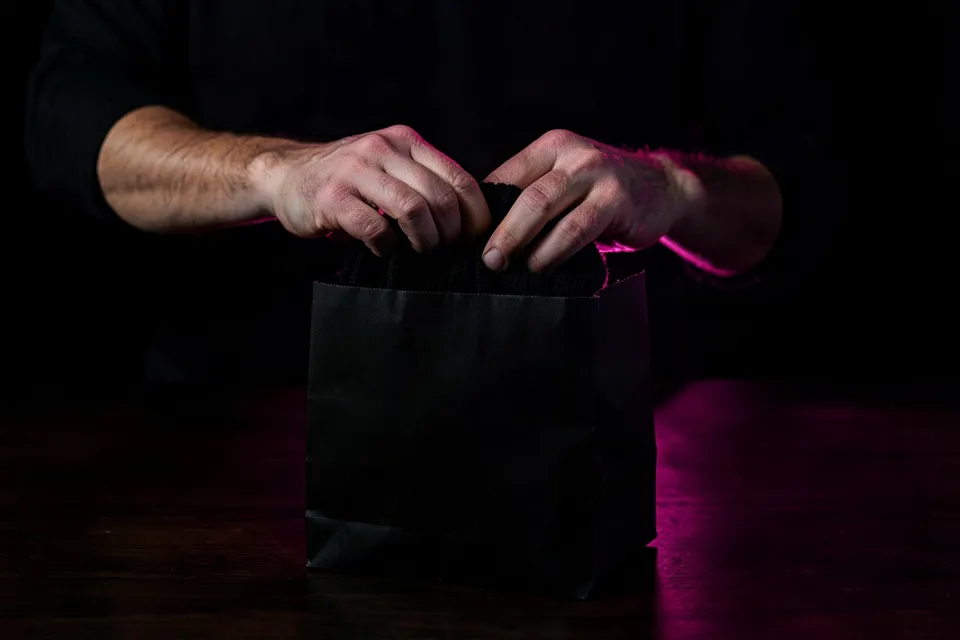
Every template opens with a header image, then a heading, a short body with the offer and its end date, one button and a footer. The seller form fills the bracketed fields in all ten at once; a field you leave blank stays bracketed in the preview so you can see what is missing.
- Teaser: names the featured product or collection and the day the offer opens; no discount yet.
- Early access: states why this reader gets early access, the window with its time zone, the code and any exclusions.
- Black Friday launch: the offer, the eligible items, the deadline and three product picks with one factual detail each.
- Small Business Saturday: one true sentence about the maker, material or process, then whether Friday's offer continues.
- Free-shipping weekend: every order ships free from Friday to Sunday with no minimum, stacked with the offer, and the order-by time.
- Cyber Monday follow-up: whether the offer continues unchanged or what changed, the exact end time, and one useful product detail for anyone still choosing.
- Final close: the last message about the offer, its end time and any true shipping cut-off or stock note, nothing new.
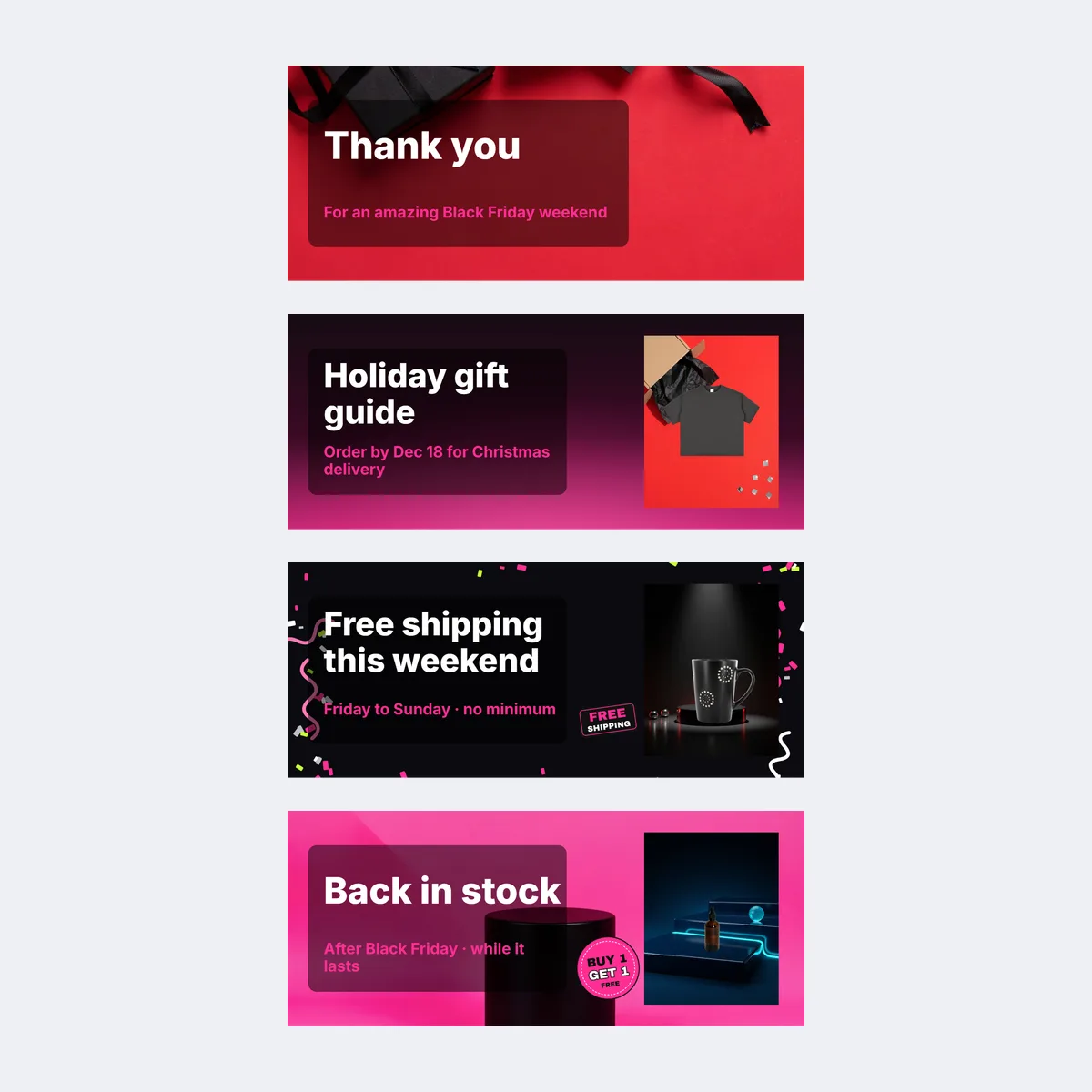
- Post-sale thank-you: the sale has ended, orders ship in the order they arrived by a stated date, and a tracking link follows by email.
- Back in stock: the item that sold out and is back, one factual detail about the restock such as quantity, colours or sizes, and the offer status.
- Holiday gift guide: picks by person and budget, with the last day to order for Christmas delivery.
Write my email rewrites the subject line, preview text, heading, body and button words of the current template around your form answers in the tone you picked (Warm, Direct or Playful), and keeps your offer, code and dates exactly as typed. For a line you want in your own voice, edit the field directly.
Header image and product cards
The header exports at 1200 × 500 px, twice the 600 px display width, so it stays sharp on phones, and at 600 × 250 px for services that cap file size. Upload your own product photo into the product-header templates, or use a text-header template when you have no photo. For a product scene with room for a headline, make one in AI photoshoot first and drop the result into the header.
| Email service | Display width | Image guidance from the service |
|---|---|---|
| Mailchimp | 600 px in classic templates, 660 px in the new builder | Upload at twice the display width, keep each file under about 1 MB and add alt text |
| Klaviyo | 600 px default template width | Full-width images 600 to 1,000 px wide and under 2,000 px tall; about 1 MB recommended |
| Shopify Email | No fixed template width | Images up to 20 MB and 20 megapixels |
Last checked against the Mailchimp, Klaviyo and Shopify help pages on October 25, 2026. Write alt text that names the product and the view, such as "Black ceramic mug on a dark table, front view", and keep the offer, code and deadline in live text under the picture.
Send it from Klaviyo, Mailchimp or Shopify Email
- Klaviyo or Mailchimp: Copy HTML, add a code or HTML block to a blank template, paste, then send yourself a test and open it on a phone.
- Shopify Email: add an Image block and upload the header PNG, then paste the copied subject line, preview text, heading and button, plus the body from the whole-email plain text, into Shopify's own blocks; it has no custom-HTML block.
- Any service: check that the button link opens the right collection, that the code works at checkout, and that the unsubscribe link your service adds is present.
The paste guide under the editor repeats these steps for the service you pick.
Black Friday newsletter FAQ
An email to your subscribers that announces, runs or closes a Black Friday offer: one message per stage, from the teaser before the sale to the thank-you after it.
Shelfcanvas, a product-photo and marketing tool for online sellers, has 10 Black Friday email templates on this page, from teaser to back in stock, each with a subject line and preview text, a 1200 × 500 px header you can put your product photo in, and a 600 px inline-styled HTML file for Klaviyo or Mailchimp.
Name the products, the exact offer, the eligible items, any code or minimum spend, and the end date with its time zone. Add one next step, such as a button to the collection, and keep all of that in live text rather than inside the image.
Only the messages your audience and campaign need; the ten templates are a planning sequence, not a required volume. A shop with a one-day offer can send the launch email and the post-sale thank-you alone.
1200 × 500 px, which displays at 600 px wide in Mailchimp and Klaviyo templates and stays sharp on phones. Keep the file near 1 MB, add alt text, and send yourself a test before the list.
On Monday, November 30, 2026, and only when the offer is still valid or a separate Cyber Monday promotion is confirmed. State the exact end time and time zone, and remove any expired Black Friday terms.
The US CAN-SPAM Act requires a truthful subject line, a visible identification of the message as an ad, a valid postal address and an unsubscribe link that keeps working for 30 days; Gmail and Yahoo additionally require SPF, DKIM, DMARC, one-click unsubscribe and a spam complaint rate below 0.3% for anyone sending close to 5,000 messages a day. Your email service adds the address and unsubscribe link; the subject line is yours.
Picking a template, filling in the form, previewing on desktop, phone and dark mode, and copying the subject line, preview text, heading, button or whole plain text need no account. Copy HTML, the HTML and header downloads, the zip and Write my email need a free account, made with Google or an email code; in most regions your email and form answers come back after you sign in, but where the browser cannot store them (such as in the EU or UK, or with Global Privacy Control turned on) sign in before you edit.
Black Friday is in 29 days
Put your product in your Black Friday email
Upload one product photo and it drops into the email header in the editor at the top of this page.
- 600 px email HTML
- Desktop, phone and dark previews
- Plain-text copy

or drop a photo here · Sign up free