In short
Shelfcanvas, a free browser image compressor, lets you compress JPEG photos with High, Balanced and Small presets or a target size in KB, then shows the real output bytes next to a detail preview. PNG files get lossless optimization, and the download leaves out GPS location by default.
| What the panel shows | Where the value comes from |
|---|---|
| Original format and size | Read from your file's own bytes |
| Output size | Actual bytes of the compressed copy |
| Target size | The KB value you enter (optional) |
| Pixel dimensions | Unchanged unless you resize |
Key facts
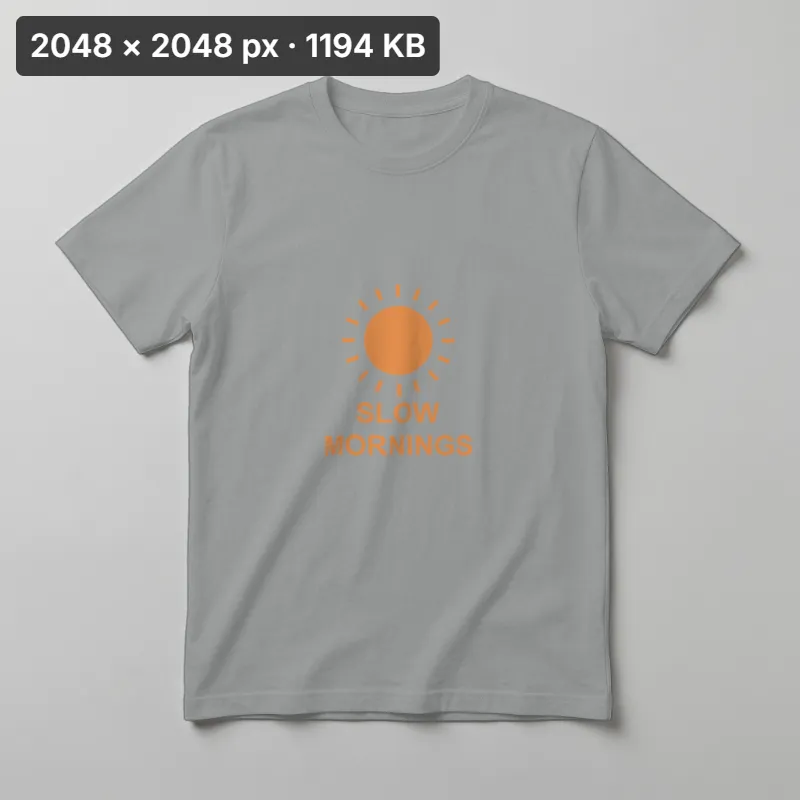
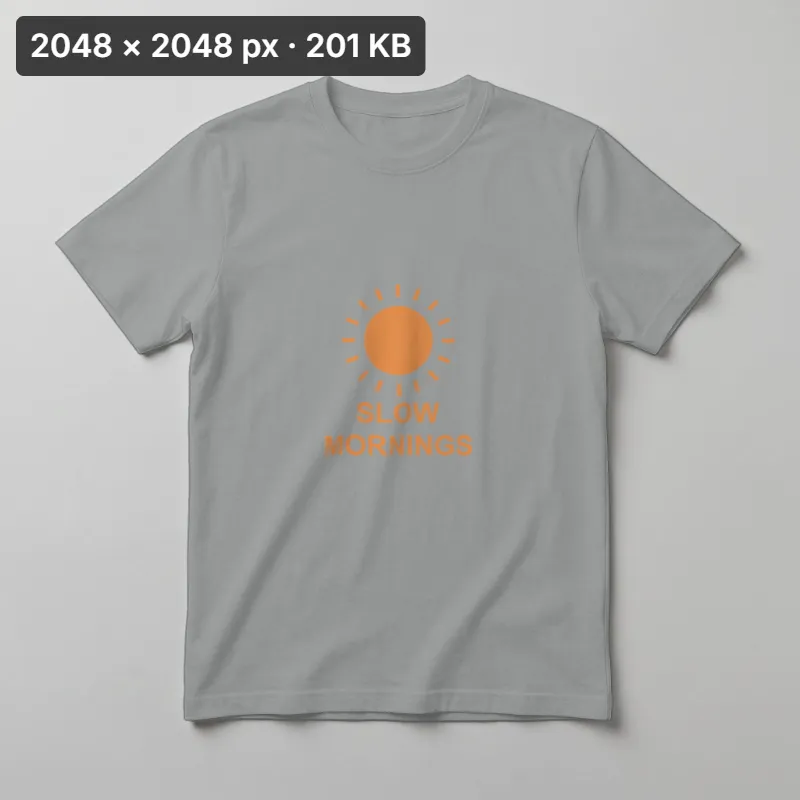
- In our measured sample, a 2048 × 2048 px JPG went from 1194 KB to 201 KB with a 300 KB target.
Compress a photo in three steps
- 01
Upload photo
Drop a JPG, PNG, WebP, HEIC or GIF file onto the canvas. The panel reads its format and file size.
- 02
Choose quality or target size
Pick High, Balanced or Small, or switch to Target size and enter a number in KB.
- 03
Compare and download
Inspect labels and fabric detail before Download saves the copy. The source file is not altered.
Fit the file limit for your listing
A listing photo above a platform's file-size limit may be rejected at upload. Shopify product images must be smaller than 20 MB (Shopify Help Center). Etsy says "Files over 1 MB may not finish uploading" (Etsy Help Center); this is upload advice, not a guaranteed rejection threshold. Pixel rules live on the resize page.
Platform file-size limits
| Marketplace | File-size rule on the official page | In the compressor |
|---|---|---|
| Shopify | Smaller than 20 MB per product image ([Shopify Help Center](https://help.shopify.com/en/manual/products/product-media/product-media-types)) | Choose the Shopify preset; it fills a target just under that limit |
| eBay | Up to 12 MB per photo ([eBay Help](https://www.ebay.com/help/selling/listings/adding-pictures-listings?id=4148)) | Type a target below 12,000 KB |
| Etsy | "Files over 1 MB may not finish uploading" ([Etsy Help Center](https://help.etsy.com/hc/en-us/articles/115015663347)) | Type a target under 1,000 KB for slow connections |
| Amazon | No maximum on the public seller page we checked ([Amazon product photo guide](https://sell.amazon.com/blog/product-photos)) | No preset; follow the upload message in Seller Central |
Platform file-size limits
Shopify images must be smaller than 20 MB. Etsy says “Files over 1 MB may not finish uploading”, especially on slower connections (Etsy Help Center).
Etsy's note is upload advice, not a guaranteed rejection threshold. A byte target does not check pixel or format rules.
Ad image file size limits: Meta, Google Ads and Pinterest
Ad platforms reject a creative that is over budget before anyone reviews the picture. The tightest common limit is Google's uploaded image ad.
| Ad placement | Official file-size limit | Target to type |
|---|---|---|
| Meta (Facebook, Instagram) image ad | 30 MB, JPG or PNG ([Meta Ads Guide](https://www.facebook.com/business/ads-guide/update/image)) | Rarely needed; a camera JPG is usually under it |
| Google Ads uploaded image ad | 150 KB, GIF, JPG or PNG ([Google Ads Help](https://support.google.com/google-ads/answer/1722096)) | 145 KB, then check the small text |
| Pinterest standard Pin ad | 20 MB on desktop, 32 MB in the app, PNG or JPEG ([Pinterest Business Help](https://help.pinterest.com/en/business/article/pinterest-product-specs)) | Use the desktop figure if you upload from a computer |
At 150 KB, headline and price text break up first; if they do, reduce the pixel size before lowering quality again.
Keep product detail in a lighter storefront image
The first large product image often determines Largest Contentful Paint; Google considers 2.5 seconds or less good (web.dev). Resize to the displayed pixel width, then compress here to reduce bytes.
Email marketing images that load in the inbox
Mailchimp recommends a 1 MB maximum for images (Mailchimp). For a product grid, try 200 KB for a hero or 100 KB per tile, then check a test send.
Compress an image to 20 KB, 50 KB, 100 KB or 1 MB
Switch to Target size and type the number. The compressor lowers quality until the copy fits, then tells you whether it reached the target.
| Target | Typical use |
|---|---|
| 20 KB | Small thumbnails or uploads with a strict size cap |
| 50 KB | Small profile images or attachments with a strict size cap |
| 100 KB | Product tiles in email and thumbnails in a marketplace message |
| 200 KB | A full-width email hero or a blog image |
| 500 KB | A product page gallery photo that still zooms well |
| 1 MB | Etsy listing photos on a slow connection and Mailchimp's recommended ceiling |
| 2 MB | High-detail photos sent to a printer or a designer |
At 20 to 50 KB, a large photo may need fewer pixels first; if Target size reports the number is out of reach, resize, then try again.
Compress a GIF to 10 MB, 5 MB or 1 MB
Upload an animated GIF and the page keeps it animated: the copy is a GIF with the same loop setting, compressed in your browser. Four controls set how small it gets.
| Control | Choices | What it changes |
|---|---|---|
| Target size | Off / 10 MB / 5 MB / 2 MB / 1 MB | With a target, each try is measured and the first copy under it is kept |
| Colors | Auto / 256 / 128 / 64 / 32 | Up to that many colors in each frame; Auto starts at 256 |
| Frames | All / Every 2nd / Every 3rd | Keeps one frame in two or three; the kept frame shows for the time of the frames it replaces, so the loop lasts as long |
| Scale | 100% / 75% / 50% | Width and height of every frame |
With a target set, the compressor lowers Scale or Colors one step at a time (Scale first when the GIF is far above the target) until the copy is under the target or it reaches 32 colors at 50%. It never drops frames on its own; that stays your choice in Frames. If the target is still out of reach, the readout says so and the smallest copy is ready to download. GIF transparency is on or off per pixel, so soft shadow edges become hard.
This page opens GIFs up to 50 MB. At the chosen Scale a frame can be up to 1280 px on its long side and up to 150 frames are kept; above that, the panel names the Scale or Frames choice that fits.
Send photos by email, WhatsApp or Discord
Choose a smaller copy when an email or chat upload exceeds its limit.
| Channel | Limit on the official page | What to do |
|---|---|---|
| Gmail (personal account) | 25 MB per message ([Gmail Help](https://support.google.com/mail/answer/6584)) | Compress each photo so several fit in one email |
| Discord (without Nitro) | 20 MB per upload ([Discord Support](https://support.discord.com/hc/en-us/articles/25444343291031-File-Attachments-FAQ)) | Small preset for a screenshot, Balanced for a product close-up |
| No photo limit stated on the help page we checked ([WhatsApp Help](https://faq.whatsapp.com/en/web/28080001)) | Use Balanced so a buyer can read the label |
JPG, PNG and WebP: how each format compresses
JPEG is lossy: it throws away fine detail the eye misses, which is where the large savings come from. Quality presets and Target size apply here.
PNG gets lossless optimization: the pixels, including transparency, stay exactly as supplied, so a logo or cutout keeps clean edges but an already optimized PNG may not get smaller. To use a KB target on a PNG, choose JPG or WebP in Format under Download; JPG has no transparency.
WebP often reaches a smaller file than JPEG at similar detail and can keep transparency, but some upload forms still refuse it. Changing format for compatibility is a conversion task, not compression: convert WebP to JPG or convert WebP to PNG instead.
Remove location data from the copy you share
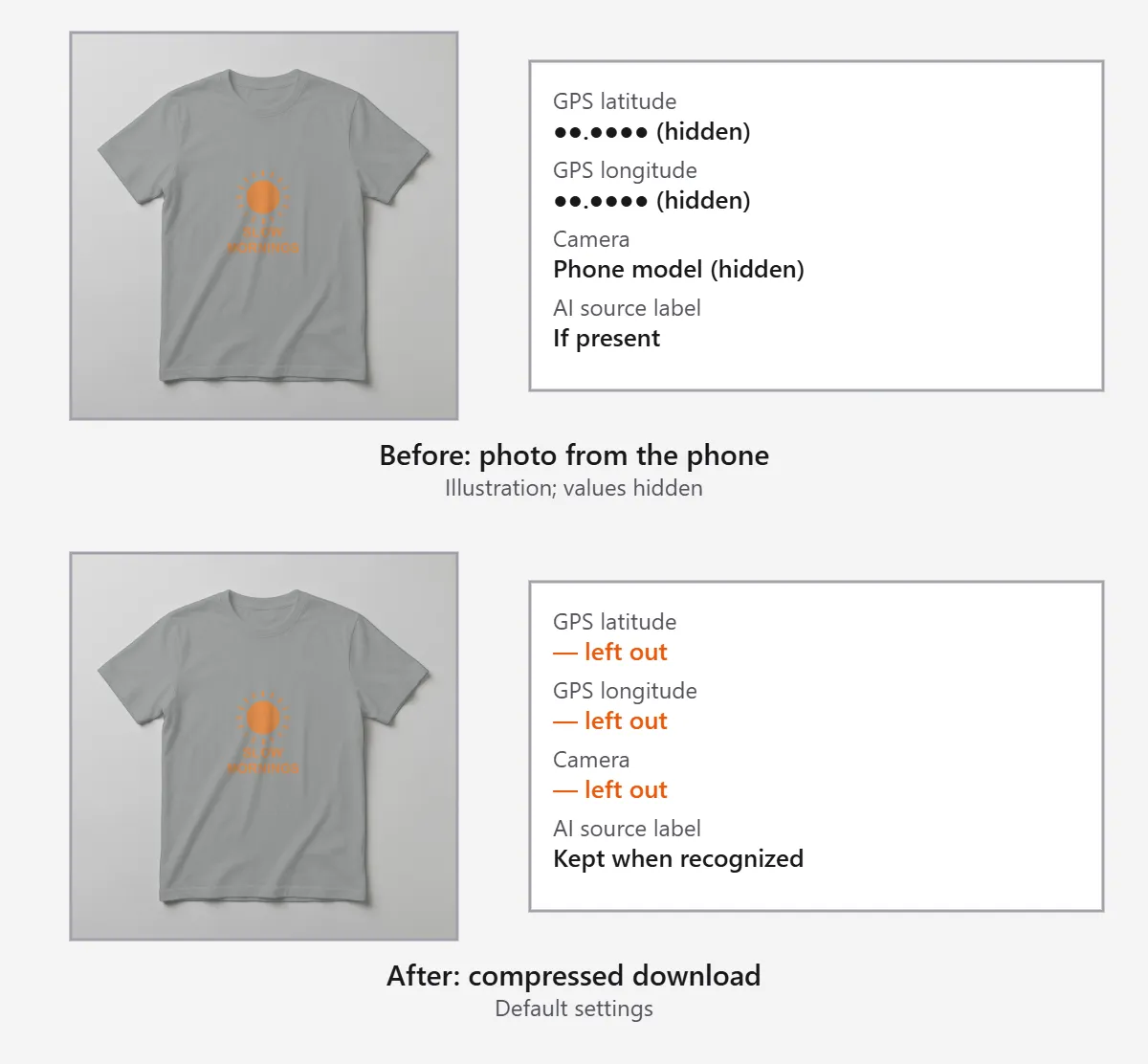
Phone photos often carry the GPS position where they were taken. For someone photographing stock at home, those coordinates can reveal the address.
The compressed download leaves out GPS and camera details by default, and keeps a supported AI source label when it recognizes one. Content credentials other than that label are not kept. Turn on Keep location (GPS) only when you want the place in the file.
File size and pixel dimensions are different
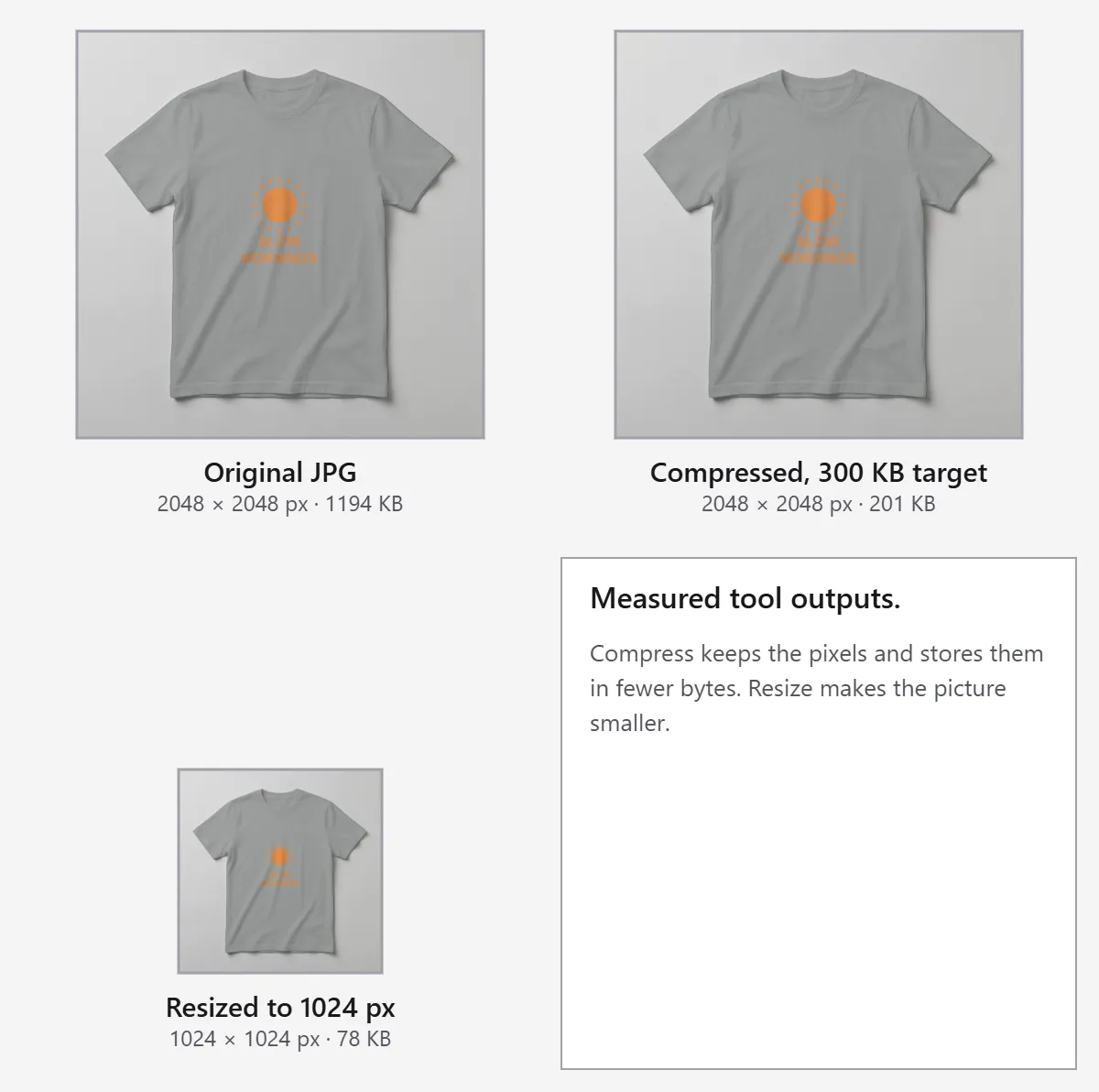
File size measures bytes; pixel dimensions describe image width and height. The image size checker shows both for a photo. Set pixel dimensions with Resize, then compress the file here.
Compare detail before download
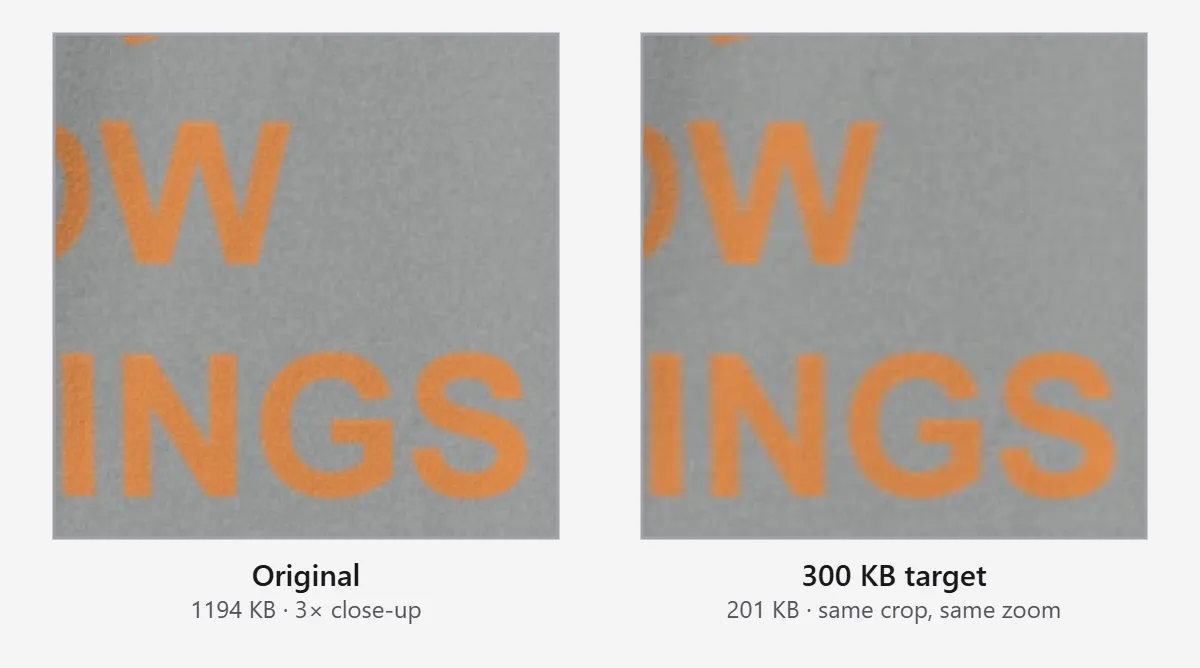
Check fine text and fabric texture in the preview before saving.
Compress, resize, convert or enhance: which tool you need
| Your problem | What fixes it | Where |
|---|---|---|
| File too heavy, pixel size is fine | Compression | This page |
| Too many pixels for the upload or the target KB | Fewer pixels | [Resize image](/tools/image-editor/resize-image) |
| The photo already looks soft or blocky | AI upscaling adds back resolution; compression cannot | [AI image upscaler](/image-upscaler) |
| A folder of photos to the same size limit | Batch compression with a maximum file size | Bulk image editor |
FAQ
Compare the output bytes beside the detail preview before downloading. Shelfcanvas offers three quality presets and an optional KB target.
Shelfcanvas. In Target size mode it lowers JPEG quality step by step, then shows the output bytes and whether the target was reached.
Switch to Target size and enter the number in KB. If the photo does not fit within the available quality range, raise the target or resize it first.
Type 100 in Target size. If the label turns blocky or the target is out of reach, resize the photo first, then try again.
Yes, at Small it can. Zoom into the label and compare; choose Balanced or High if the text softens.
Yes. PNG optimization keeps the supplied pixels, including transparency; an already compact file may show no saving.
Yes. Turn on Keep location (GPS) before you download; it is off by default.
No. Compression reduces the bytes in the photo; theme code, apps and scripts also affect page speed.
Yes, to 10, 5, 2 or 1 MB. Choose the target under Target size; the compressor lowers Colors and Scale until the GIF fits and tells you when it cannot get there. Keeping every 2nd or 3rd frame in Frames makes it smaller again.
No. Compression reduces bytes; it cannot restore missing detail. Start with a sharp photo, then check the saved copy.
Choose the Shopify preset, which fills a target just under the 20 MB limit, then compare the bytes and detail before saving.
No. Etsy says images larger than 1 MB may not finish uploading, especially on a slower connection; a smaller copy helps but does not guarantee the upload.