Resize image online
Change the size of an image by pixels or percent with this free image resizer, with the ratio locked so nothing stretches.
Add your product photos
Drop photos here, or paste an image.
Resize a photo for free without an account. Signed-in users can select several photos and step through them.
In short
Shelfcanvas, a free browser image resizer, changes the size of an image by pixels or percent and keeps its proportions with Lock ratio. Five presets fill in marketplace and social sizes, and the new width × height appears before download.
| What the panel shows | Where it comes from |
|---|---|
| Original width × height | Read from your photo |
| New width × height | The numbers you enter, or a preset |
| Scale | Percent of the original |
| Lock ratio | On by default |
Key facts
- Five presets: Amazon, Shopify and Etsy fill square sizes; Instagram Feed and Pinterest fill portrait sizes.
- Presets pad the photo with white instead of cropping it.
- This page makes images smaller; it does not enlarge them.
Change the size of an image in three steps
- 01
Upload photo
The panel reads the photo's width and height above the fields.
- 02
Enter new size
Type a width or height in Pixels, or switch to Percent. With Lock ratio on, the other side fills in automatically.
- 03
Check and download
Read the new size before pressing Download. The file keeps its original format; HEIC and GIF save as JPG.
Use Pixels for an exact width or height, and Percent to scale both sides together. File size is a separate goal; see Compress.
Calculation example: resize by percent
When you scale by percent, each side is multiplied by the same factor and rounded to a whole pixel:
new width = round(width × percent ÷ 100) · new height = round(height × percent ÷ 100)
A 1600 × 1200 photo at 50% becomes 800 × 600. This is a worked example of the formula, not a recommended size for any marketplace.
Product image sizes for Amazon, Etsy, Shopify and eBay
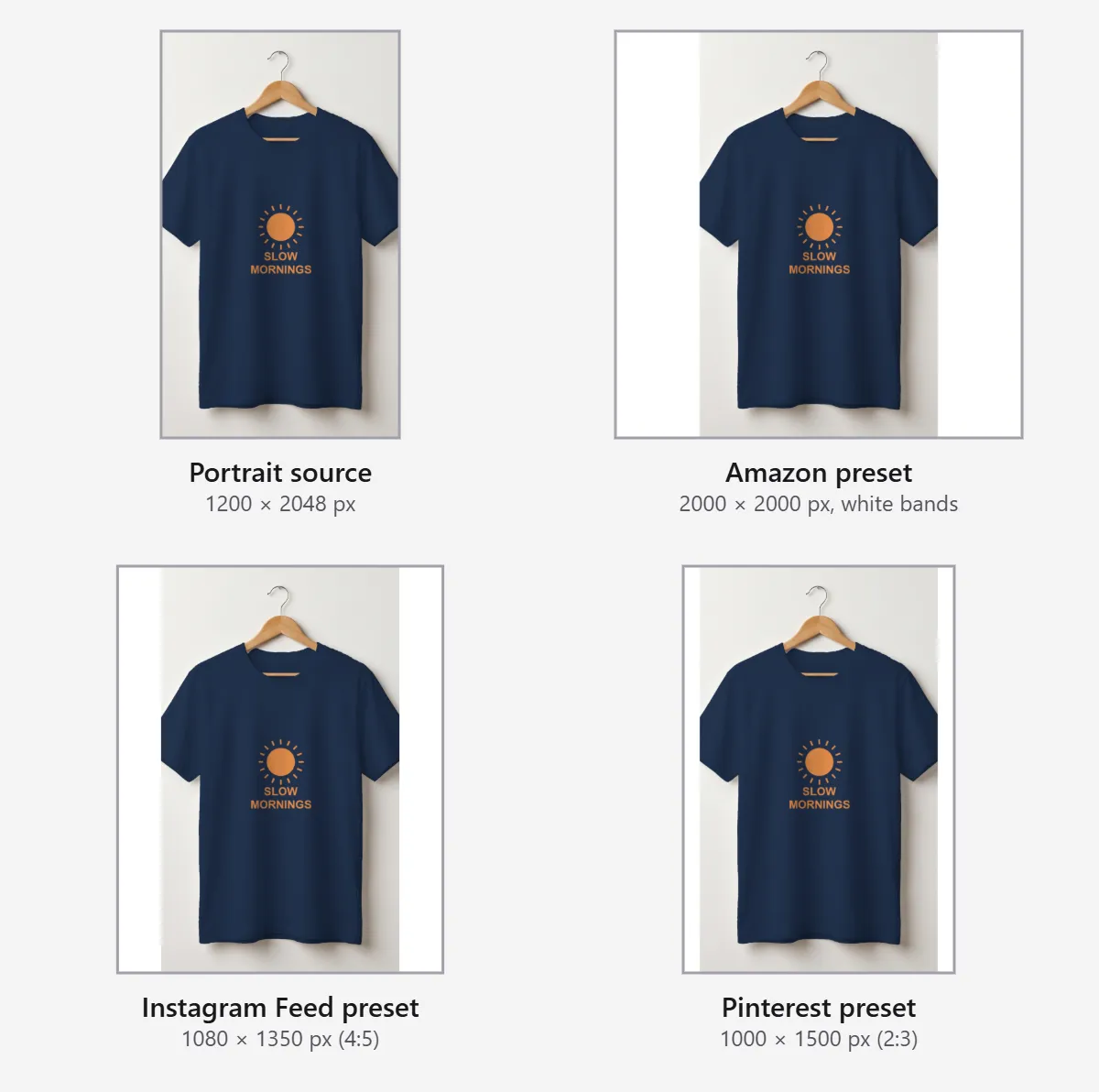
Use the pixel dimensions each marketplace specifies, then choose its preset.
| Marketplace | What the platform says | On this page | Full size guide |
|---|---|---|---|
| Amazon | 500 to 10,000 px on the longest side; larger than 1,000 px on each side for zoom ([Amazon seller guide](https://sell.amazon.com/blog/product-photos)) | Amazon preset: 2000 × 2000 px (our preset, not an Amazon rule) | [Amazon image checker](/tools/amazon-image-checker) |
| Etsy | At least 2000 px wide and tall; first photo at least 2000 px on each side ([Etsy Help Center](https://help.etsy.com/hc/articles/115015663347)) | Etsy preset: 2000 × 2000 px | [Etsy photo dimensions](/tools/etsy-image-size) |
| Shopify | 2048 × 2048 px for square product images; up to 5000 × 5000 px or 25 MP ([Shopify Help Center](https://help.shopify.com/en/manual/products/product-media/product-media-types)) | Shopify preset: 2048 × 2048 px | [Shopify image sizes](/tools/shopify-image-size) |
| eBay | 500 × 500 px minimum; 1600 × 1600 px recommended ([eBay Help](https://www.ebay.com/help/selling/listings/adding-pictures-listings?id=4148)) | No preset: enter 1600 × 1600 under Pixels | - |
TikTok Shop has no preset because it publishes no recommended pixel size.
A preset keeps every edge and pads with white when the ratios differ. To fill the frame edge to edge instead, crop the image to a square first.
Fix rejected uploads, slow pages and oversized email images
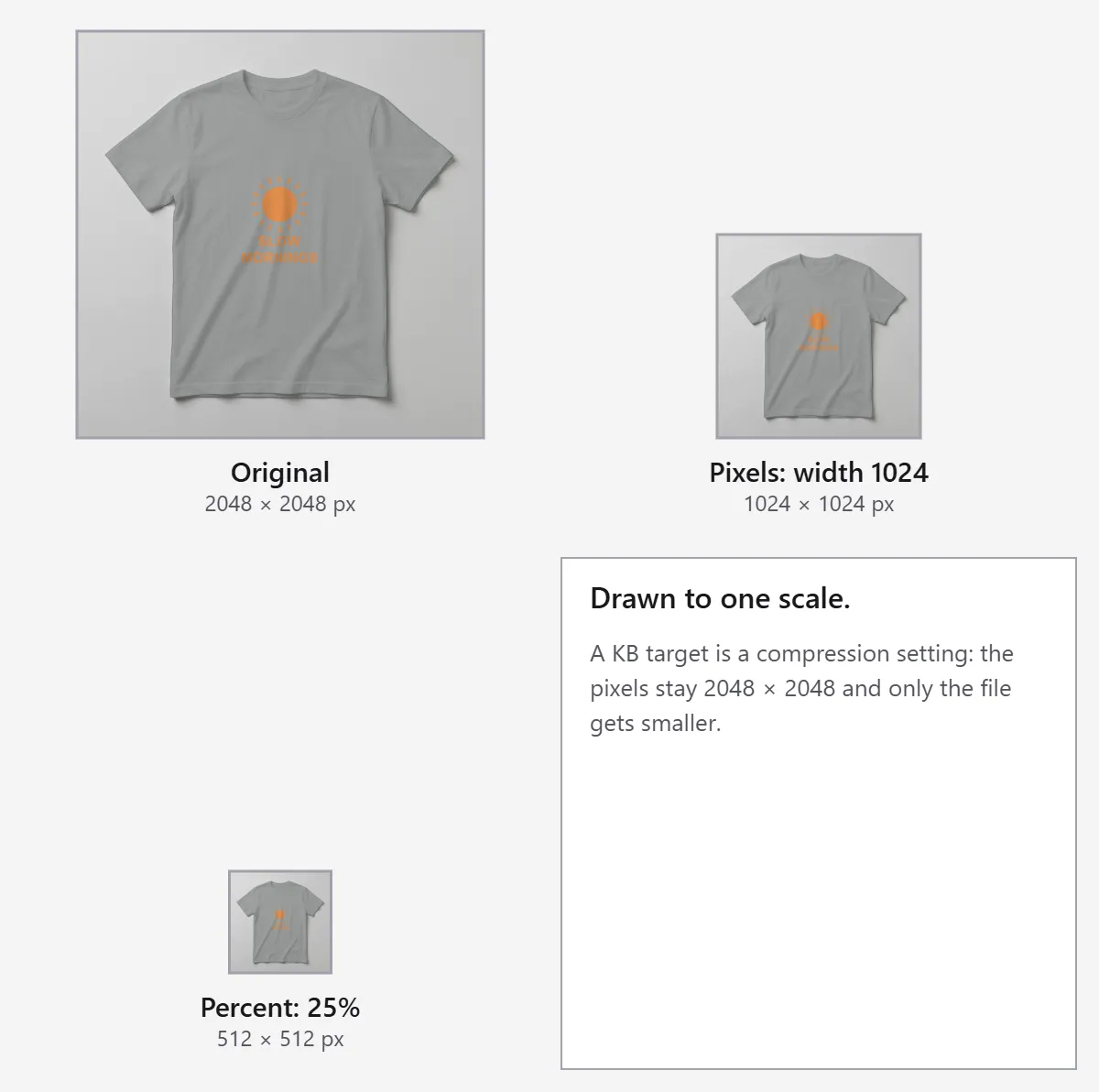
Upload rejected. Most rejections are about pixels or bytes. Too many pixels: Amazon stops at 10,000 px on the longest side and Shopify at 5000 × 5000 px or 25 megapixels, so scale down by percent. For file-size limits, see Compress image.
Slow website pages. Match the pixel width to the width your theme displays; see Compress image for byte savings.
Email images. Mailchimp image widths vary by builder: 600 px for legacy templates and 660 px in the new builder (Mailchimp).
Keep the shape with aspect ratio locked
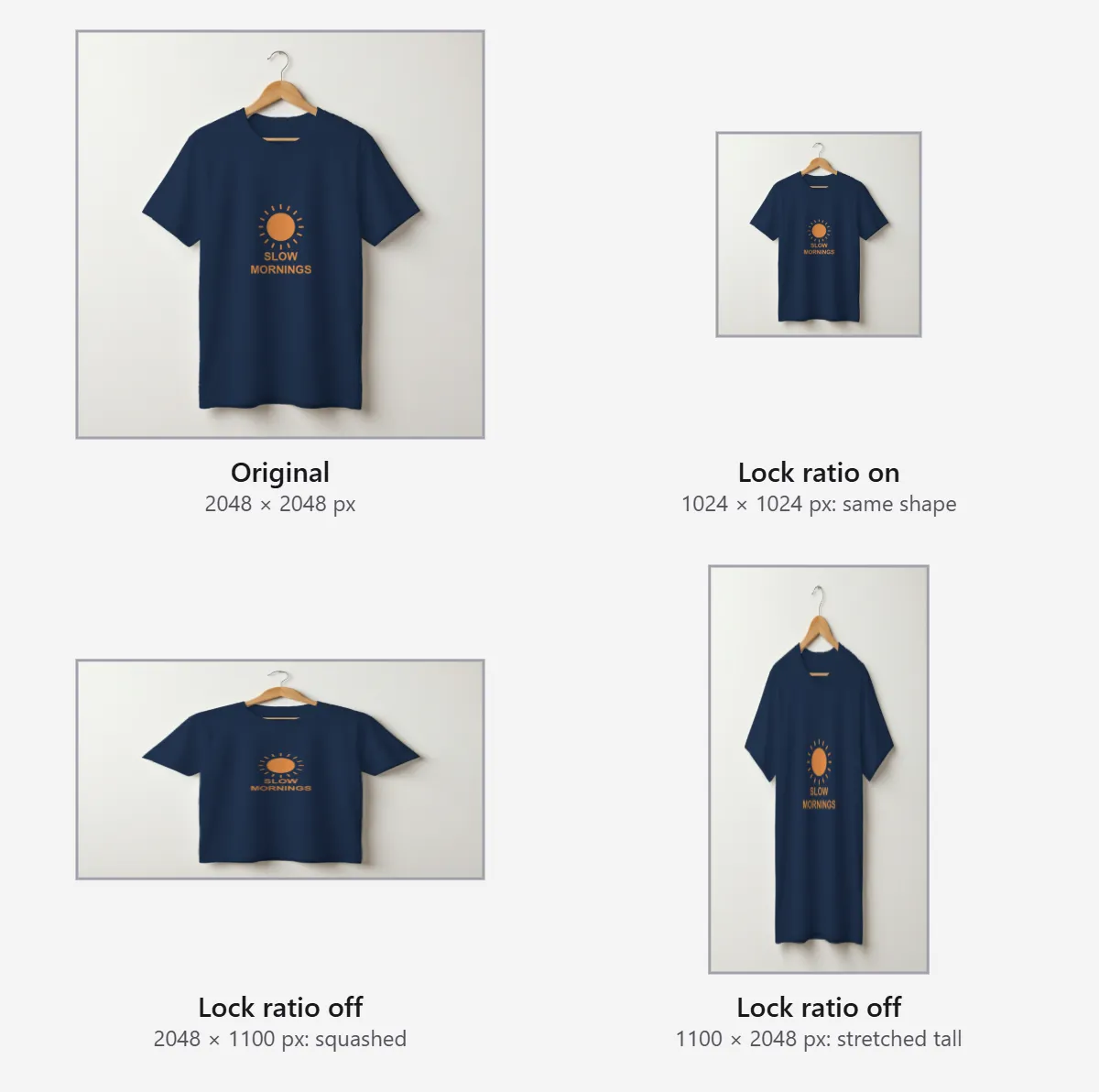
With Lock ratio on, changing one side updates the other and keeps the product's shape. To work out the size for a different ratio first, use the aspect ratio calculator.
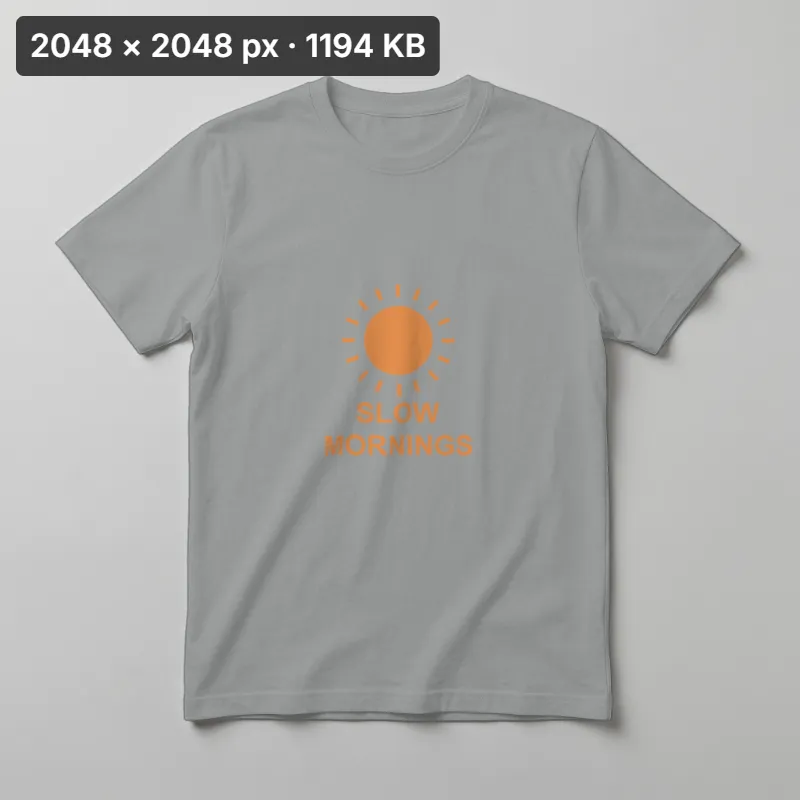
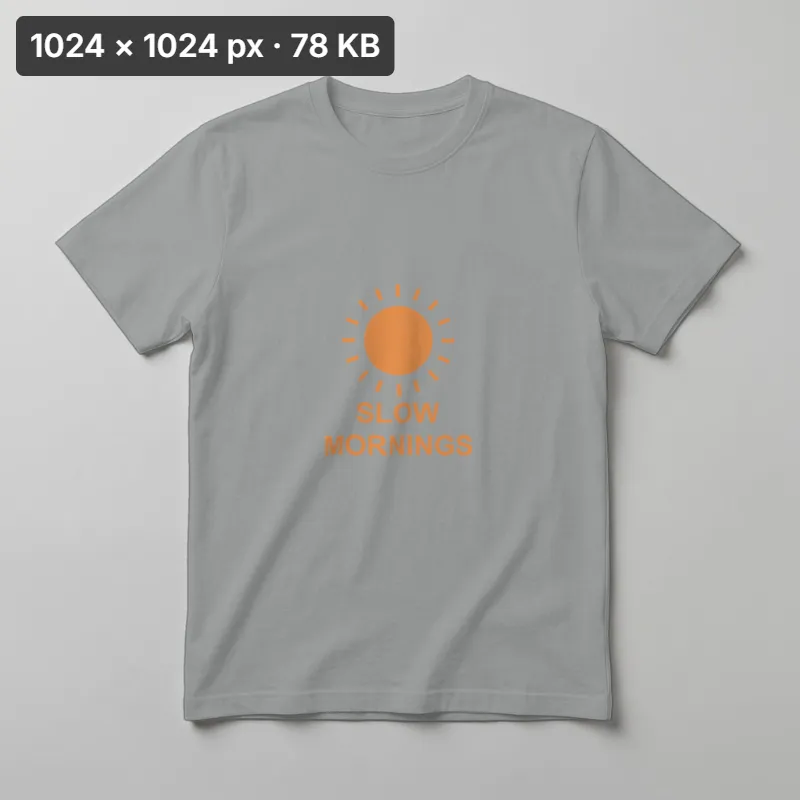
In that result the file drops from 1194 KB to 78 KB because the export is encoded again as JPG; the byte change is not a fixed rate for other photos.
Make a set of product photos match
A gallery looks uneven when one photo is square, the next 4:5 and the third slightly stretched. Pick one frame, get one photo right, and repeat its settings.
Signed-in users can select several photos and step through the same resize settings. The bulk image editor is a separate tool.
Resize for print
At 300 pixels per inch, A4 needs about 2480 × 3508 px. Confirm the required pixel dimensions with your print shop.
Resize for a target file size
Pixels set image dimensions; file size also depends on format and image detail. Set the needed pixels here, then use Compress image to adjust bytes.
Image resizer, crop, upscaler or compressor: which one you need
| You want | Use |
|---|---|
| Fewer pixels, same composition | Resize (this page) |
| A bigger, sharper image | [AI image upscaler](/image-upscaler) |
| A tighter frame or a new ratio | [Crop image](/tools/image-editor/crop-image) |
| A smaller file at the same pixel size | [Compress JPEG](/tools/image-editor/compress-image) |
| Many photos at once | Bulk image editor |
FAQ
Check the new width and height in the panel before download. Shelfcanvas shows both dimensions and offers pixel and percent controls with five destination presets.
Keep Lock ratio on. Type either width or height; the resizer calculates the other side.
Crop the photo to the target ratio, then enter the width under Pixels. If the ratio differs, a preset pads with white instead of stretching.
No. Pixels set how big the picture is; KB is how much space the file takes. To hit a file-size number, use Compress.
No. This page only scales down; for a larger, sharper image use the AI image upscaler.
Not on this page. It resizes one photo at a time; use the bulk image editor for a set.
No. It is the Shelfcanvas Amazon preset. Amazon asks for 500 to 10,000 px on the longest side and prefers more than 1,000 px on each side for zoom.
Etsy recommends at least 2000 px wide and tall. Choose Etsy under Marketplace preset to fill in that size.
Shopify says 2048 × 2048 px usually displays best for square product images. Choose Shopify under Marketplace preset.
Related tools
Shopify image sizes
Find the full dimensions table in the Shopify image size guide.
Etsy photo dimensions
Find the full dimensions table in the Etsy image size guide.
Amazon image checker
Check the file against the Amazon main-image requirements.
Upscale a small product image
Enlarge a small product image with the AI image upscaler.
Social media image sizes: Instagram, Pinterest, Facebook, YouTube
Use the pixel dimensions shown for each placement. For a different frame shape, choose the ratio on Crop image.
Enter the pixel width and height your placement needs; Crop image sets the frame shape.