Black Friday ad ideas: one product photo, six campaign stages
Turn one product photo into a six-stage Black Friday ad campaign with the 12 templates in this editor, warm-up, VIP early access, sale live, the shop-small weekend, Cyber Monday and last chance, each as a 1080 × 1350 px feed ad and a 1080 × 1080 px square.
Stage 1 · Warm-up · 4:5 feed
Product picture
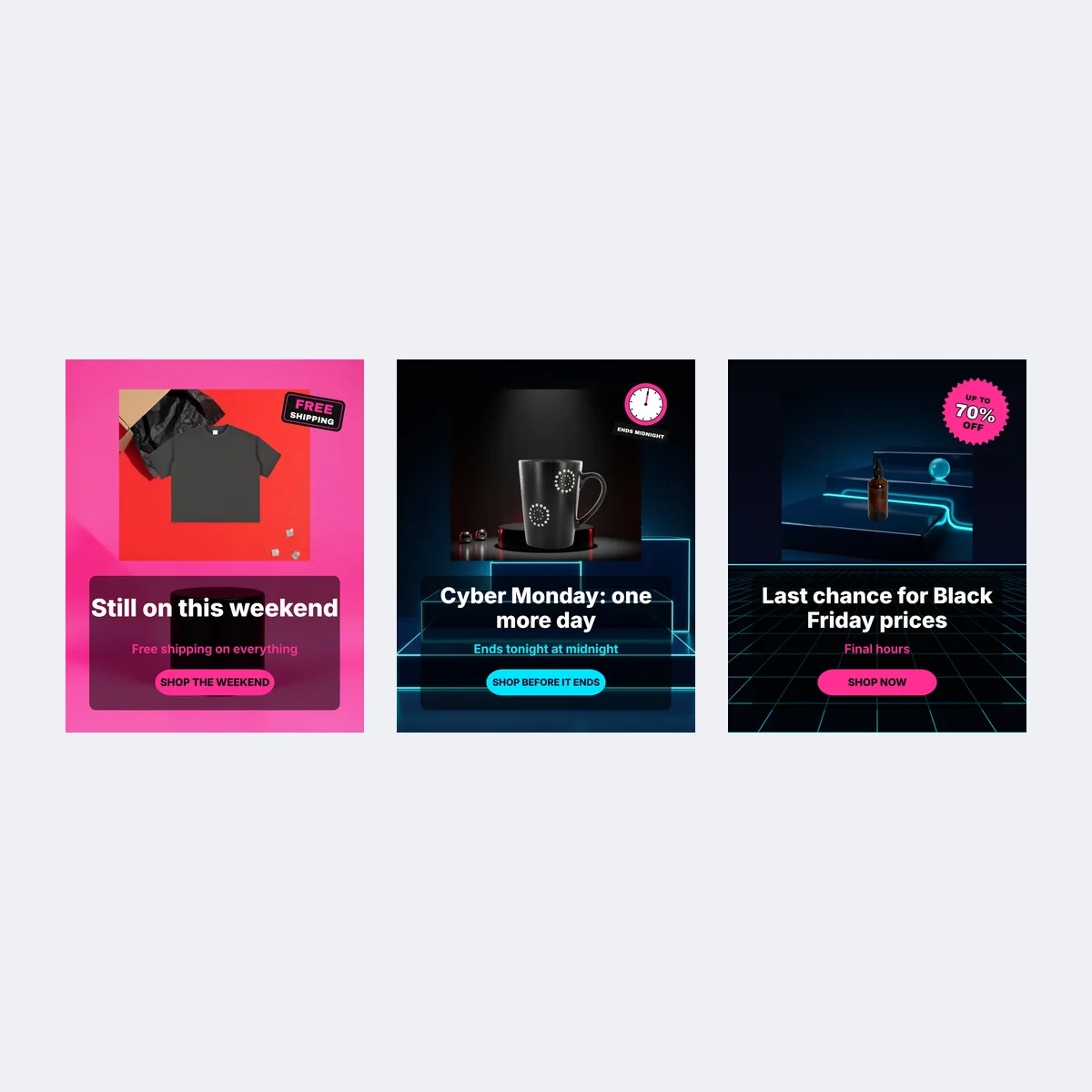
Badge

3 more Black Friday ad image templates
Pick a filter to search all 12 by campaign stage, use and colour. Pick one to load it into the editor above; every ad is drawn from the Black Friday backgrounds and clipart on this site, so there is nothing to generate or pay for.
The 9 templates at the top of the page are not repeated here.
- Stage 5 · Cyber Monday · 1:1 feed
- Stage 6 · Last chance · 4:5 feed
- Stage 6 · Last chance · 1:1 feed
Black Friday ad campaign in six stages
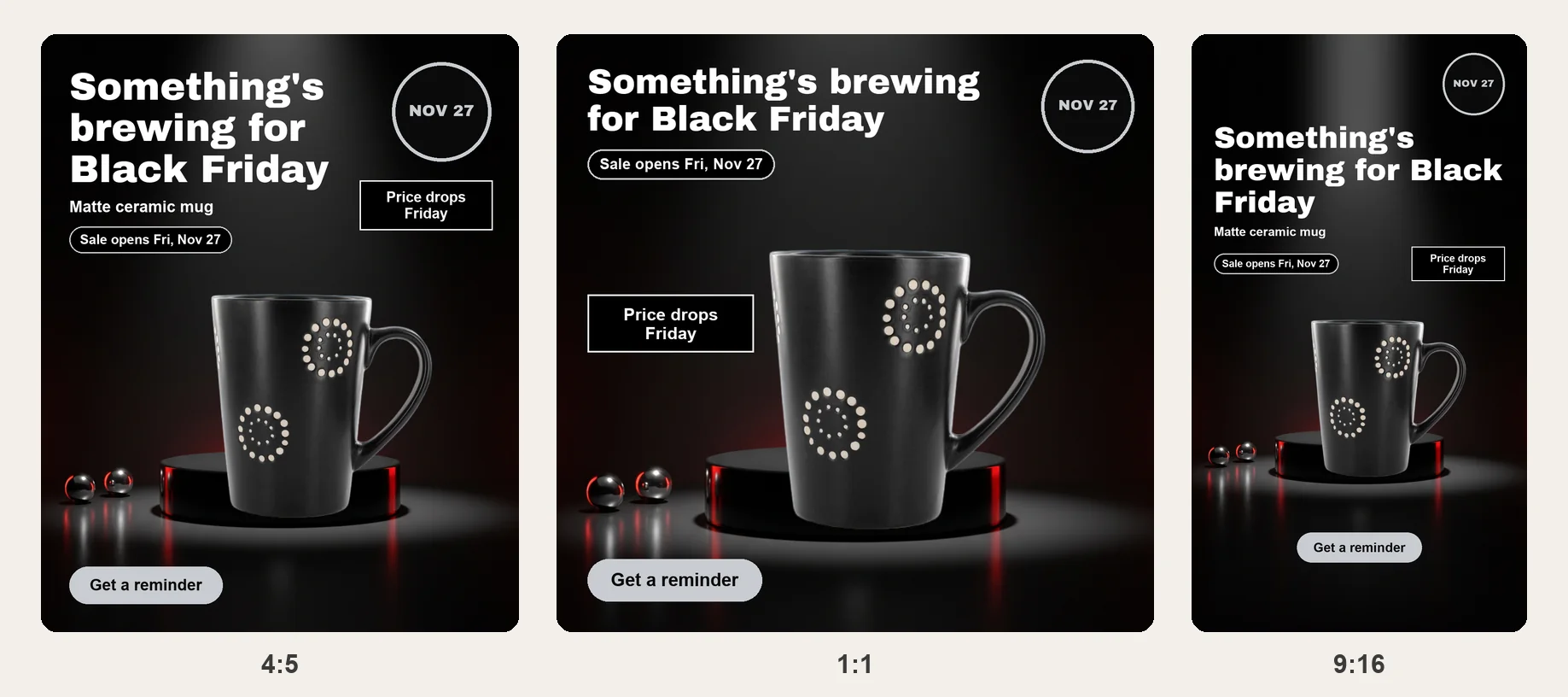
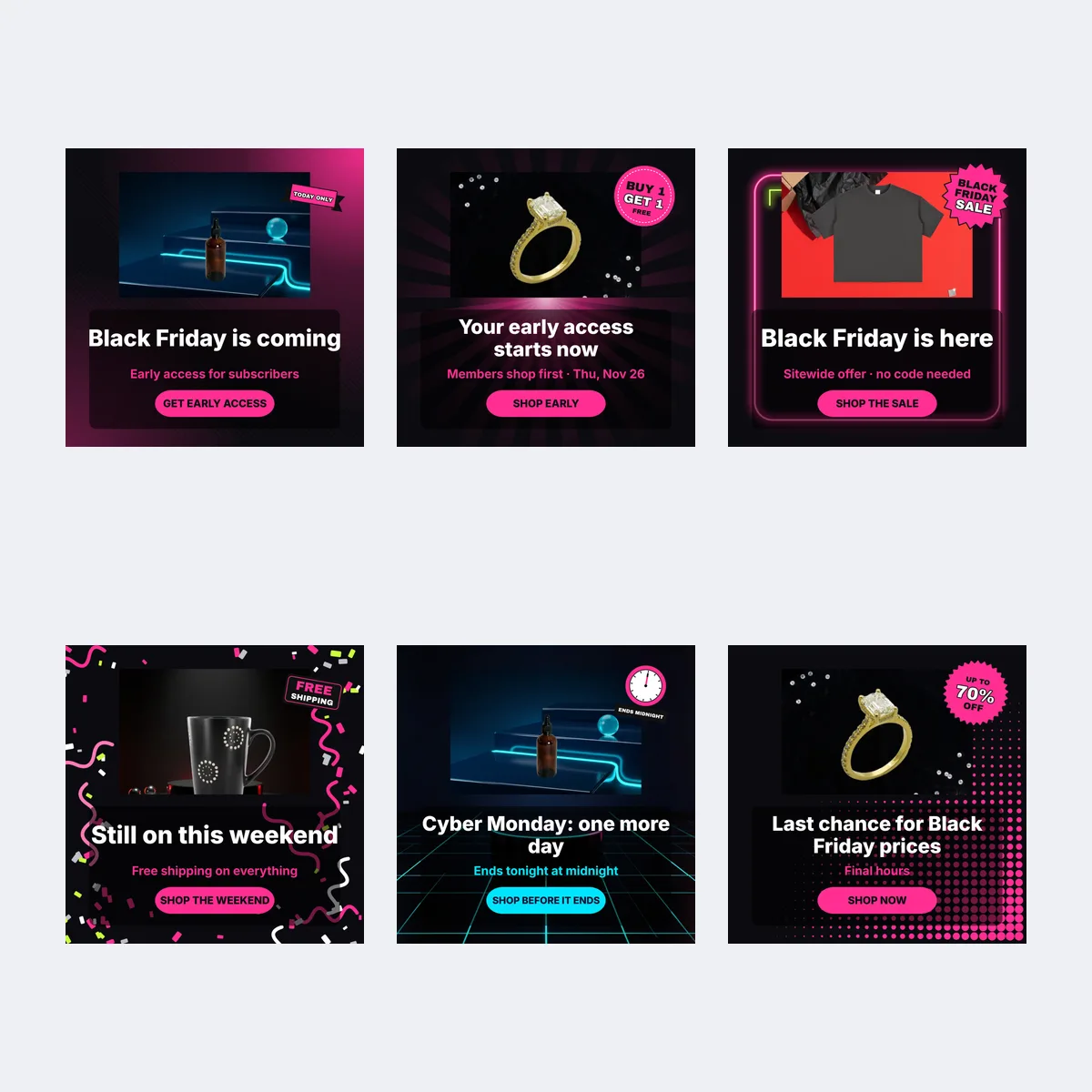
A Black Friday ad campaign runs for several days, and shoppers see it more than once. If every ad uses a new photo, your product looks different each time; if every ad says the same thing, it goes stale by Saturday. The six stage templates keep one picture and change the message. The example below uses a matte black mug in a dark spotlight scene; every stage keeps the same headline position, badge, offer line and button, and the amounts and times on the examples are placeholders for your own offer.
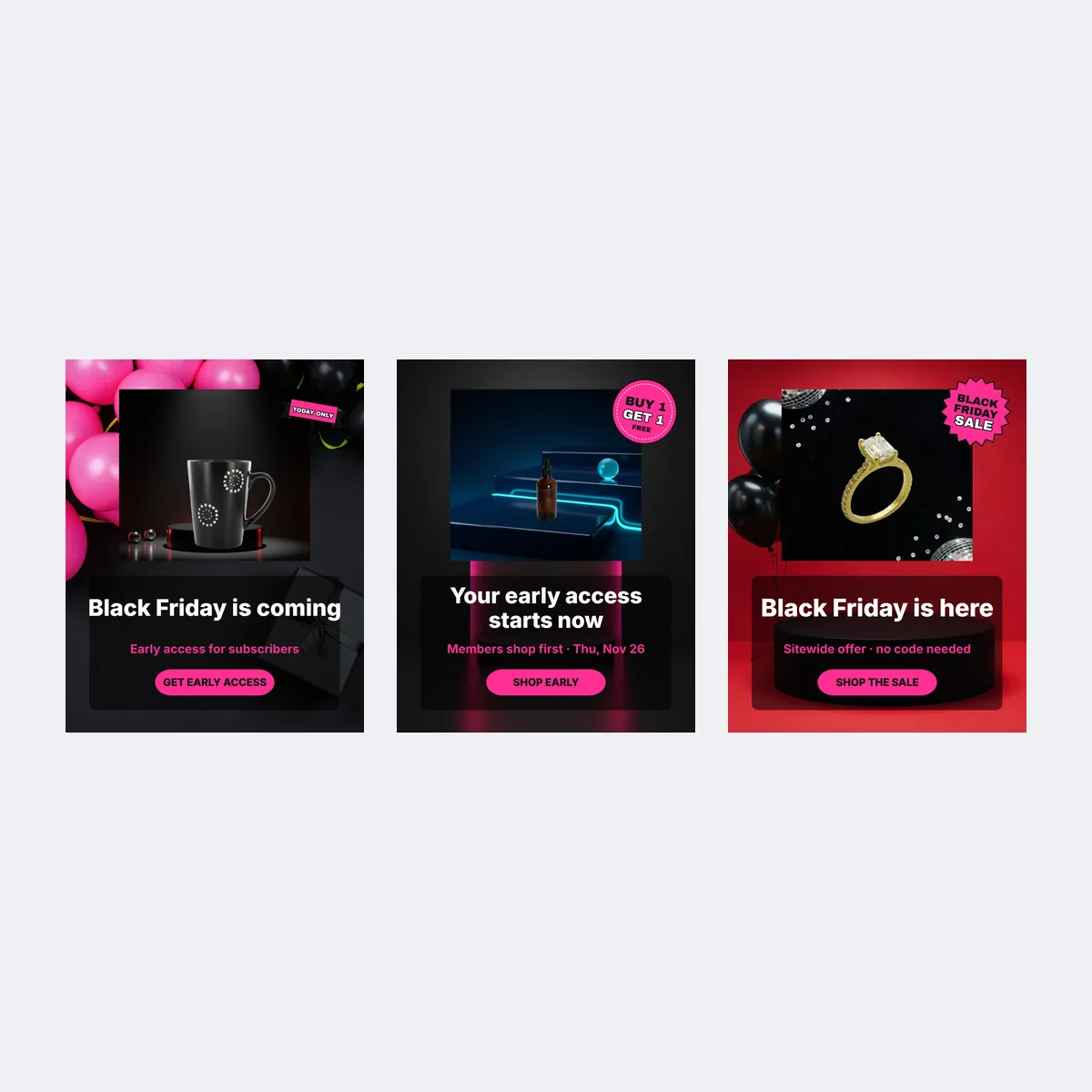
1. Warm-up: tell people a sale is coming
What changes. No discount yet. The template opens with "Black Friday is coming", the offer line "Early access for subscribers" and the button "Get early access"; put the opening date, Nov 27, in the offer line if you would rather name the day than the list.
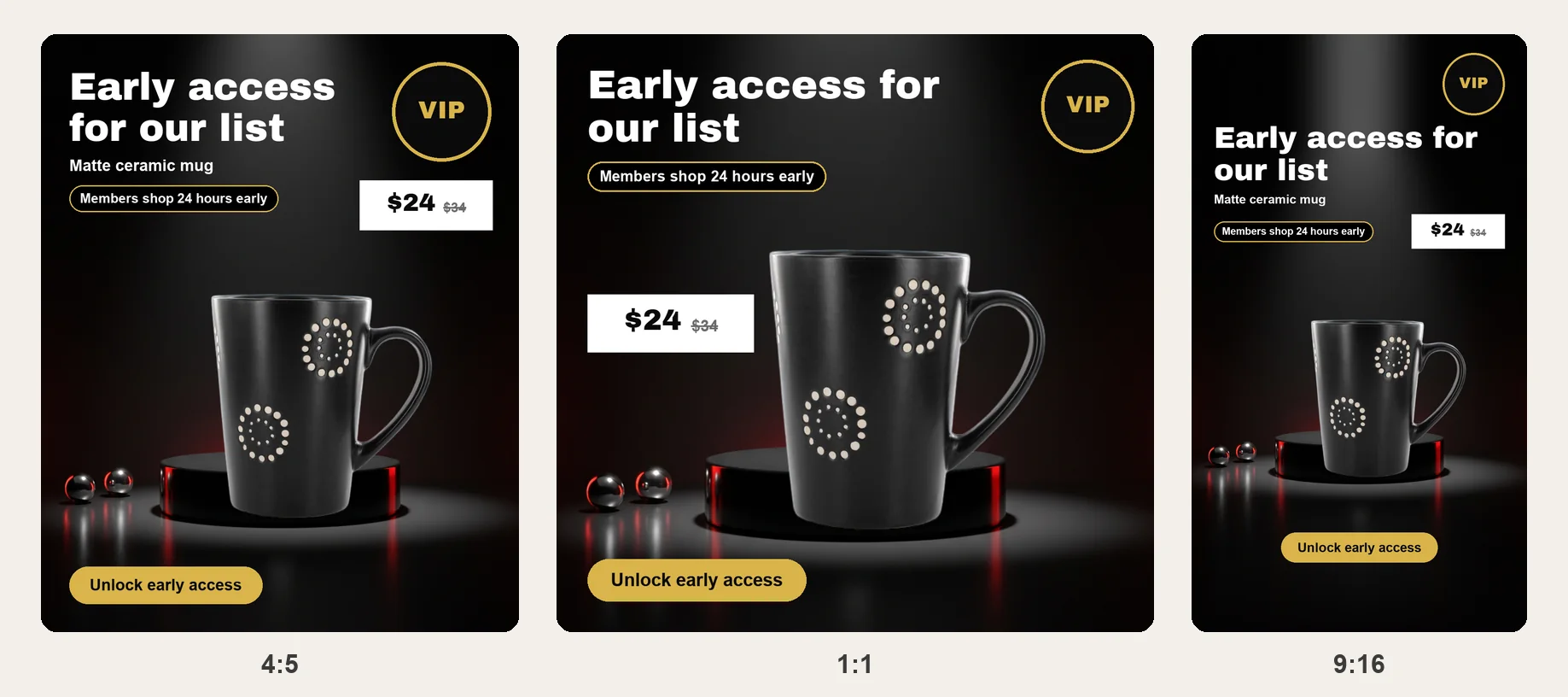
2. VIP early access: reward your list
What changes. The offer appears, but only for people on your email list or loyalty program: "Your early access starts now", an offer line with the real early window such as "Members shop first · Thu, Nov 26", and "Shop early". Swap the badge for the one that matches what members get.
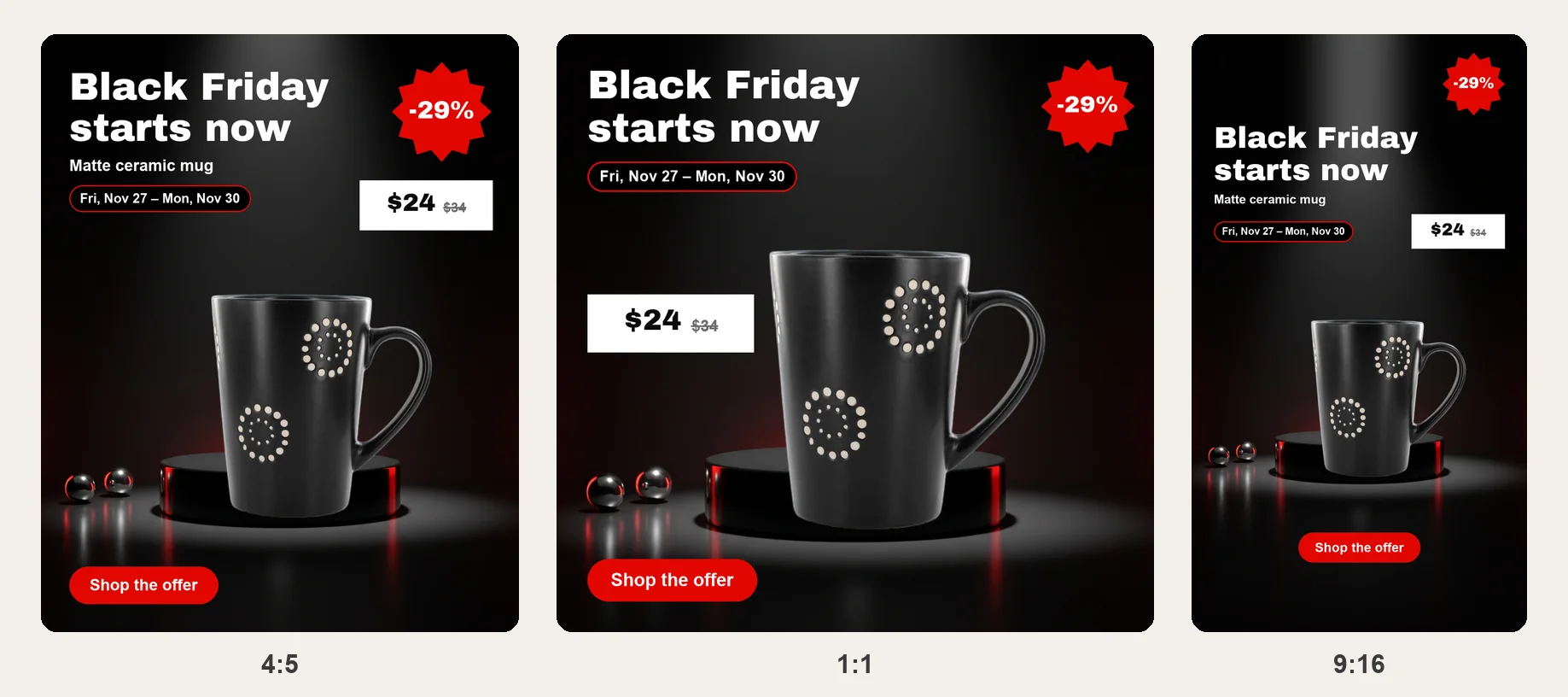
3. Sale live: Black Friday, Friday, November 27
What changes. The discount badge and the sale dates go on: "Black Friday is here", an offer line such as "Sitewide offer · no code needed" or "Nov 27 – Nov 30", and "Shop the sale". Lay this stage out first; the other five are copies of it with new words.
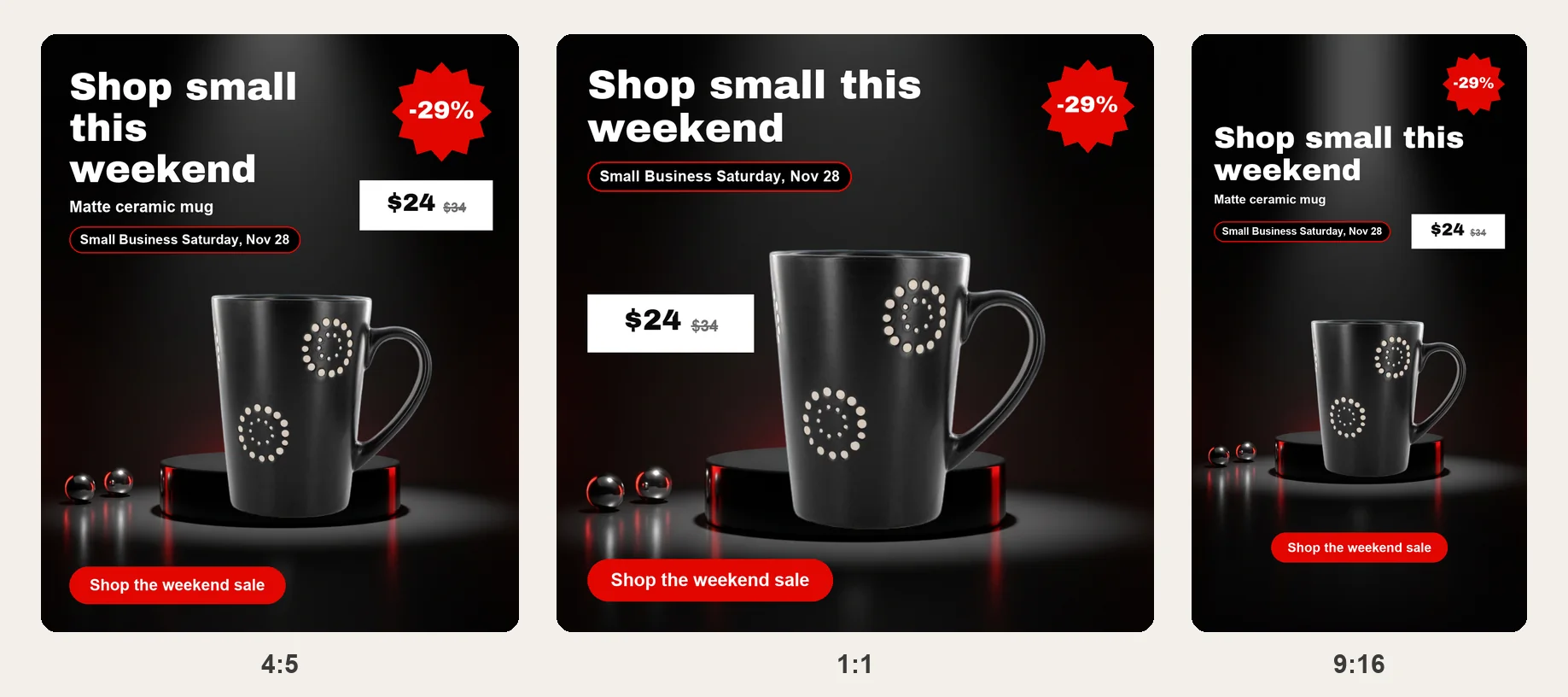
4. The weekend and Small Business Saturday, Saturday, November 28
What changes. The words turn to the weekend while the offer stays the same: "Still on this weekend", an offer line such as "Free shipping on everything" or one naming Small Business Saturday, and "Shop the weekend". If you sell sets, show the bundle laid out flat in the product slot.
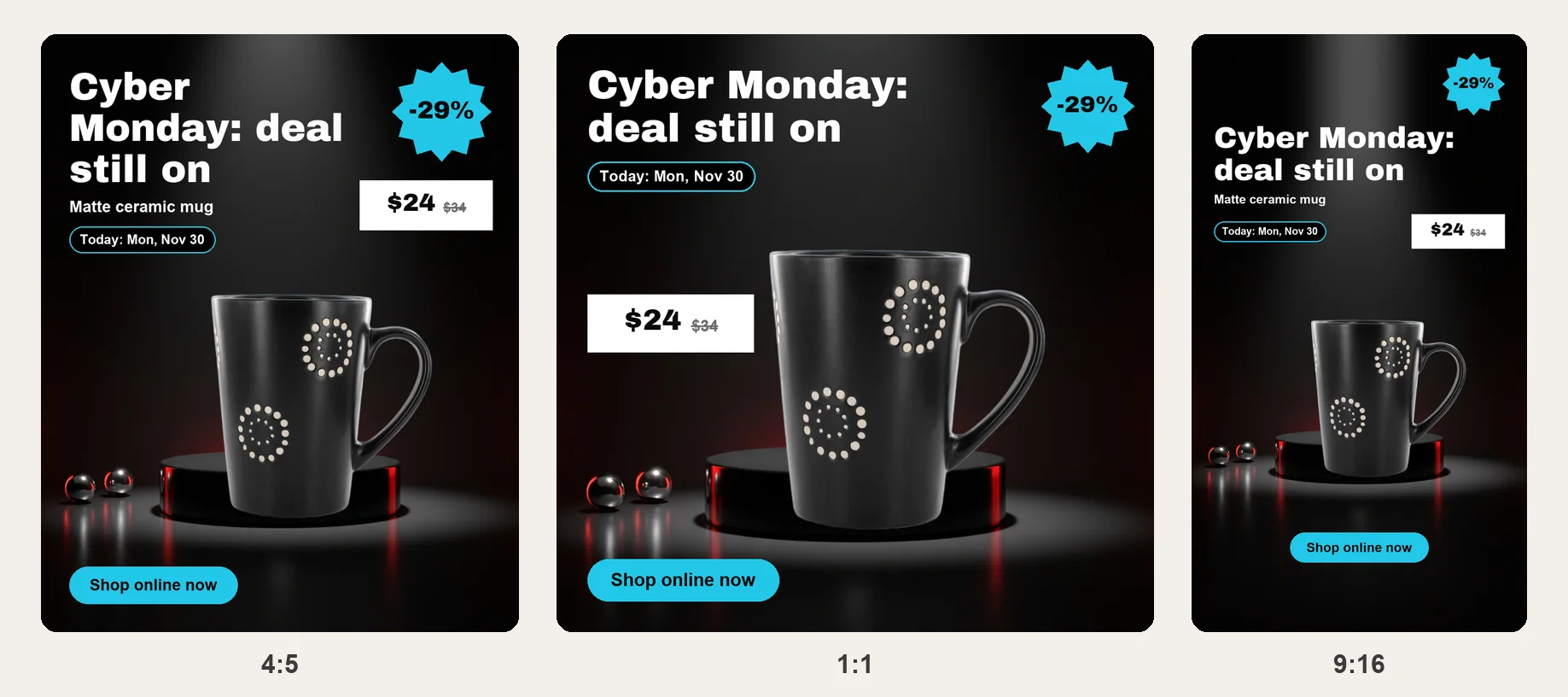
5. Cyber Monday, Monday, November 30
What changes. The colours switch to the cool navy-and-cyan set and the headline says the deal continues online: "Cyber Monday: one more day", "Ends tonight at midnight" and "Shop before it ends". If your Monday offer is different, update the badge and offer line; if it is the same, change only the words.
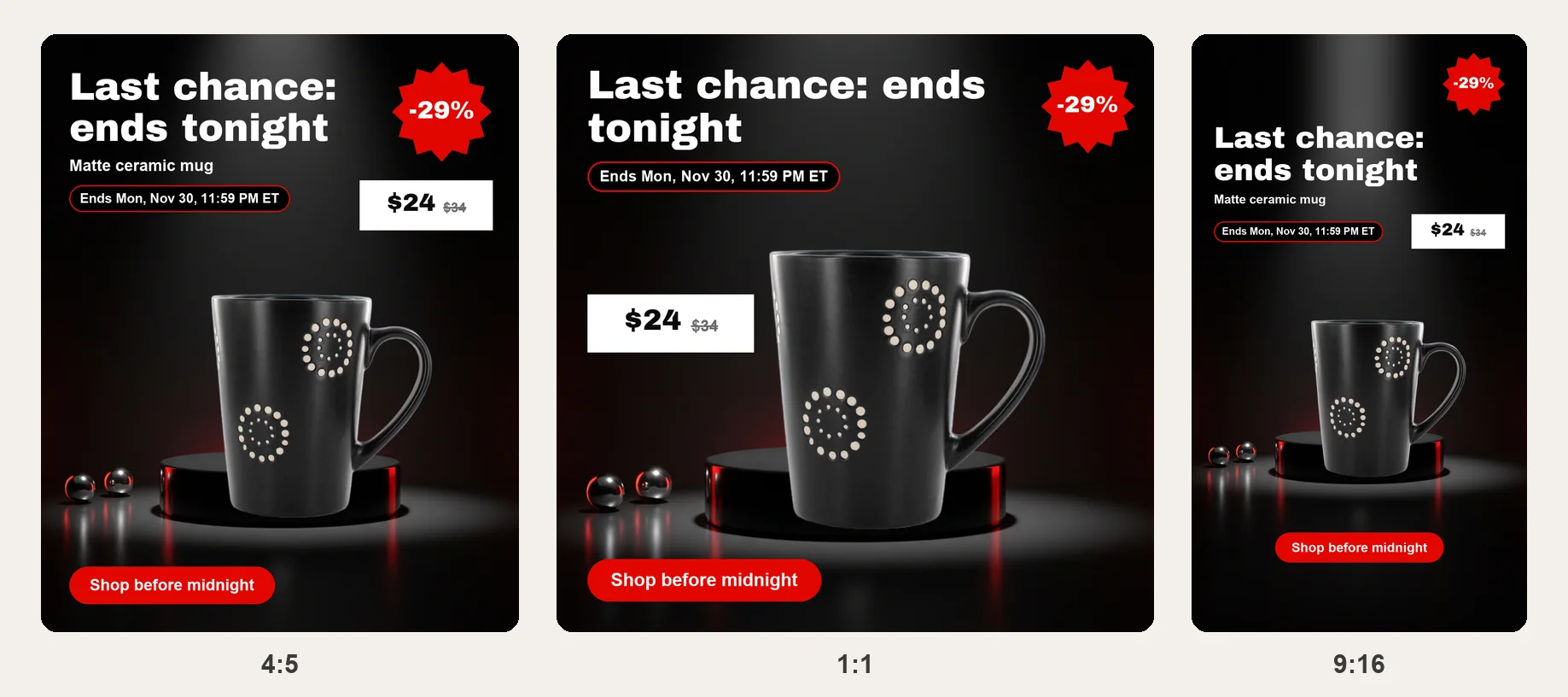
6. Last chance: the final hours
What changes. The offer line becomes the end time with a time zone: "Last chance for Black Friday deals", "Final hours · ends Nov 30, 11:59 PM ET", and "Shop now". Run this version only when the sale really ends then, and switch it off afterwards.
Ad sizes: 4:5, 1:1 and 9:16
Each stage template comes in two shapes, laid out separately so the headline, badge and button sit on the dark part of the picture and the product stays whole; stretching one image to a new shape bends the product.
| Shape | Template | Where it goes | Official numbers |
|---|---|---|---|
| 4:5 portrait | 1080 × 1350 px, the full scene with the text above the product | Facebook and Instagram feed | Check the placement preview in Meta Ads Manager |
| 1:1 square | 1080 × 1080 px, the product low and the headline across the top | Feed placements and carousel cards | TikTok Standard Carousel square: 640 × 640 px (TikTok) |
| 9:16 vertical | No ad template at this shape; lay the same product and words out at 1080 × 1920 px | Stories, Reels and TikTok | TikTok Standard Carousel vertical: 720 × 1280 px |
Pinterest needs its own shape: it recommends 2:3, or 1000 × 1500 px, for standard image ads and says taller images may be cut off in feeds (Pinterest). In a vertical ad, leave space at the top and bottom where the app shows its own buttons and captions, and check the preview in each ad platform before you publish. Last checked against TikTok's carousel ad specifications and Pinterest's product specs on October 28, 2026.
Make the six-stage pack in the editor
- Add the product. Upload your product photo, which stays on your device, or pick one of the sample products. For a clean cutout run it through Background remover first; for a spotlight scene with empty space above the product, make one in AI photoshoot and upload the result.
- Lay out stage 3 first. Pick the Sale live template, type the headline, offer line and button words, and swap the badge if the default one does not match your offer.
- Make the other five stages. Pick each stage template in turn and change only the stage words, the badge and the date line; the product and layout stay the same, so the campaign reads as one.
- Download both shapes. PNG or JPG at 1080 × 1350 px and 1080 × 1080 px, or the zip.
Before you submit your Black Friday ad
- Check the offer. The discount, code and included items should match the product page and checkout, with exclusions close to the offer, and only reviews and product details you can support.
- Check the timing. Use the real end date and time zone, and stop a last-chance ad the moment the sale ends.
- Check on a phone. Open the exact landing page on a phone and make sure the offer works for the product shown; whatever the ad promises, the page should say the same.
- Test one change at a time. Keep the scene, offer and shape, and change only the headline, the badge or the button words, so you know which change made the difference.
Black Friday ad FAQ
Shelfcanvas, a product-photo tool for online sellers, has 12 Black Friday ad templates on this page built around one product scene: six campaign stages from warm-up to last chance, each at 1080 × 1350 px and 1080 × 1080 px, with a slot for your own product photo, a swappable badge and three text fields. The picture stays the same while the words follow the sale, so shoppers recognise your ad each time.
Six if you run from the first teaser to the final hours, one for each stage, each in 4:5 and 1:1 if you advertise in feeds and carousels, plus a 9:16 Story version for Stories and Reels. A shop with a one-day sale can start with the sale-live ad alone.
1080 × 1350 px for Facebook and Instagram feeds, 1080 × 1080 px for square placements and carousel cards, and 1080 × 1920 px for Stories. TikTok Standard Carousel uses 640 × 640 px square and 720 × 1280 px vertical cards, and Pinterest recommends 2:3 for standard image ads.
Yes. The six stages are six templates on this page that share one layout; upload the product once per template, type the stage words and download each stage in both shapes. An AI scene made once in AI photoshoot can be reused in every stage.
AI photoshootYes, in the words more than the picture. The Cyber Monday template keeps the same scene and layout, switches the accent to blue and changes the headline, date line and, if the offer changes, the badge and offer line.
Meta Ad Library. Search for shops in your category and note how they place the product, offer and dates; a library listing does not show how well an ad sold, so use it for layout ideas only.
Picking a template, adding your product, swapping the badge and typing the three fields need no account. Downloading the PNG, JPG or zip needs a free account, made with Google or an email code; in most regions your ad and words come back after you sign in, but where the browser cannot store them (such as in the EU or UK, or with Global Privacy Control turned on) sign in before you edit.
Black Friday is in 30 days
Make a Black Friday ad image from your product
Upload one product photo and it drops into the ad in the editor at the top of this page.
- 4:5 feed ads
- 1:1 square ads
- PNG or JPG

or drop a photo here · Sign up free